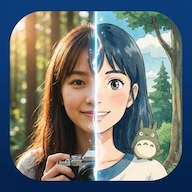
Ghiblize
Bringing Magic to Life...
Welcome to Ghiblize.me, the world's most advanced AI-powered photo editor designed to bring the enchanting aesthetic of Studio Ghibli to your own photographs. Our platform allows fans and creators to bridge the gap between reality and animation, creating stunning, high-definition captures that look like they were painted by the masters at a professional anime studio.
At Ghiblize, we believe that everyone should have the tools to express their creativity in the styles they love most. By leveraging state-of-the-art Generative AI, we provide a seamless interface where technology meets art. Our "Text to Ghibli" and "Image to Ghibli" features are optimized to preserve the emotional warmth and intricate detail that defines the Ghibli aesthetic—from soft watercolor backgrounds to vibrant, life-filled landscapes.
Ghiblize is an AI-powered creative suite that specializes in transforming text and images into high-quality anime art, specifically following the famous Studio Ghibli aesthetic.
Yes, we offer a credit-based system where users can get started for free. Premium options are available for those who need high-volume or watermark-free generations.
Our AI model has been trained on thousands of artistic references to understand color theory, lighting, and line art styles common in modern anime, allowing it to recreate those styles with incredible accuracy.
Yes, users who generate images without watermarks are granted full commercial rights to their output. Please refer to our Terms of Service for full details.
Need support? You can reach us via the feedback section in the app or visit our official home page for more information and updates.
Studio Ghibli AI, Anime photo filter, Ghibli style art generator, AI anime creator, Totoro style filter, Spirited Away AI, Anime landscape generator, AI photo to anime, Ghiblize app, Ghibli wallpaper maker.